
Web interface
The web interface allows configuration and monitoring through a browser, without a USB cable and without a broker. It is useful for fixing the MQTT connection (mqtt_host, mqtt_mode, port, credentials) that cannot be changed through config because the node is not connected to the broker.
Opening it
Section titled “Opening it”http://sentinel-<last 6 digits of MAC>.localover mDNS (macOS and iOS directly; Windows 10+ and Linux usually). Example: MACa2cb8ff8768d→http://sentinel-f8768d.local.- Or by IP: shown on the LCD (Jaringan menu), in the MQTT
status(ip), and in the gateway’s DHCP table. - User
admin, default passwordsentinel(the same on all units). Change it in the System tab. A yellow banner shows while the password is still the default, andconfig/reportedcontainsweb_pw_default: true.
Log in through the form on the page itself. The Sign out button is at the top right, as is the EN | ID language switch.
Sessions: one user at a time
Section titled “Sessions: one user at a time”- Only one session across all browsers and devices. A successful login takes over: the old session immediately becomes invalid and its page shows “Someone signed in from another browser or device”.
- A session ends by itself after 10 minutes without activity (click, tap, key press, or scroll; automatic refreshes of the Status tab do not count).
- Sign out ends the session on the device, so all tabs and browsers become invalid immediately.
- Sessions live only in RAM: a reboot (including after a firmware change and factory reset) ends the session. Moving to another IP address also means a new login, because cookies are per host.
| Tab | Function |
|---|---|
| Status | network (IP, gateway, MQTT, NTP servers with answer status, last NTP sync), device date and time, temperature, inputs, outputs, power, Modbus device summary, free memory (heap_free, heap_min) and the number of outgoing messages dropped for being too large (oversize_dropped), alarms. Refreshes every 3 seconds |
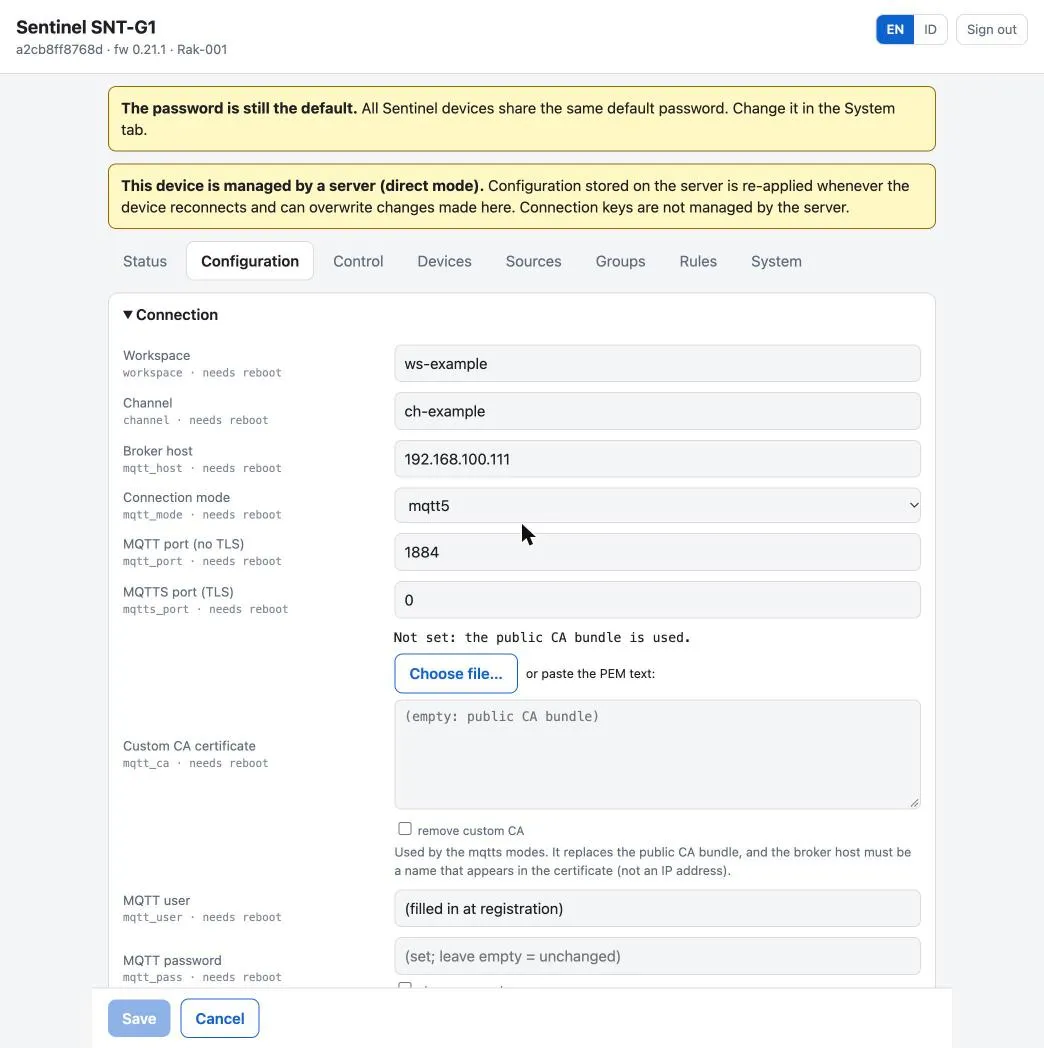
| Configuration | all keys (the form is generated from the firmware schema); only changed keys are sent; rejected keys are marked with the reason; connection changes trigger a reboot. Includes entering a private CA for TLS |
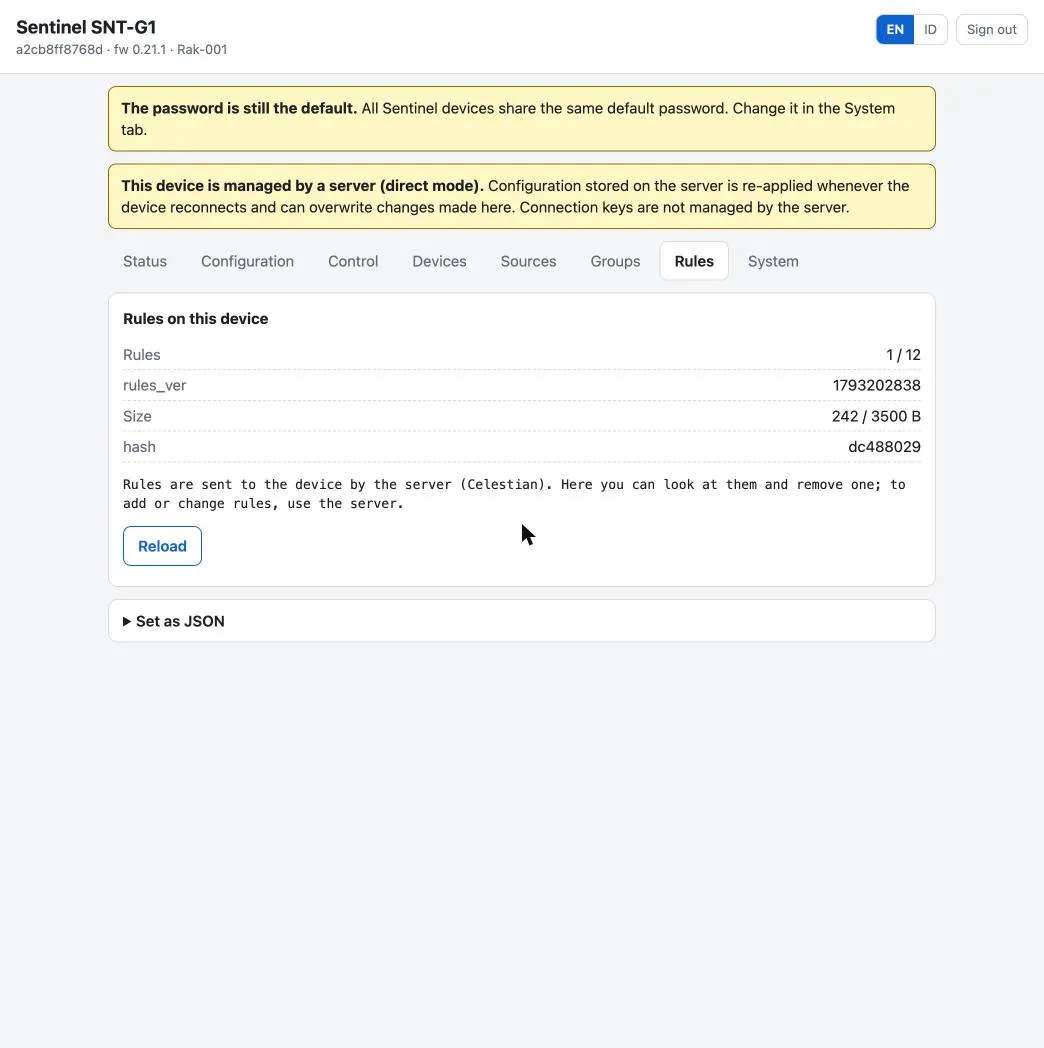
| Rules | view and delete rules (not add or edit; that is for the server or celestianctl): set summary (rules_ver, count, size, hash, remaining confirmation time), each rule with its state, its condition and actions in a sentence, and the set content as JSON. Refreshes every 4 seconds |
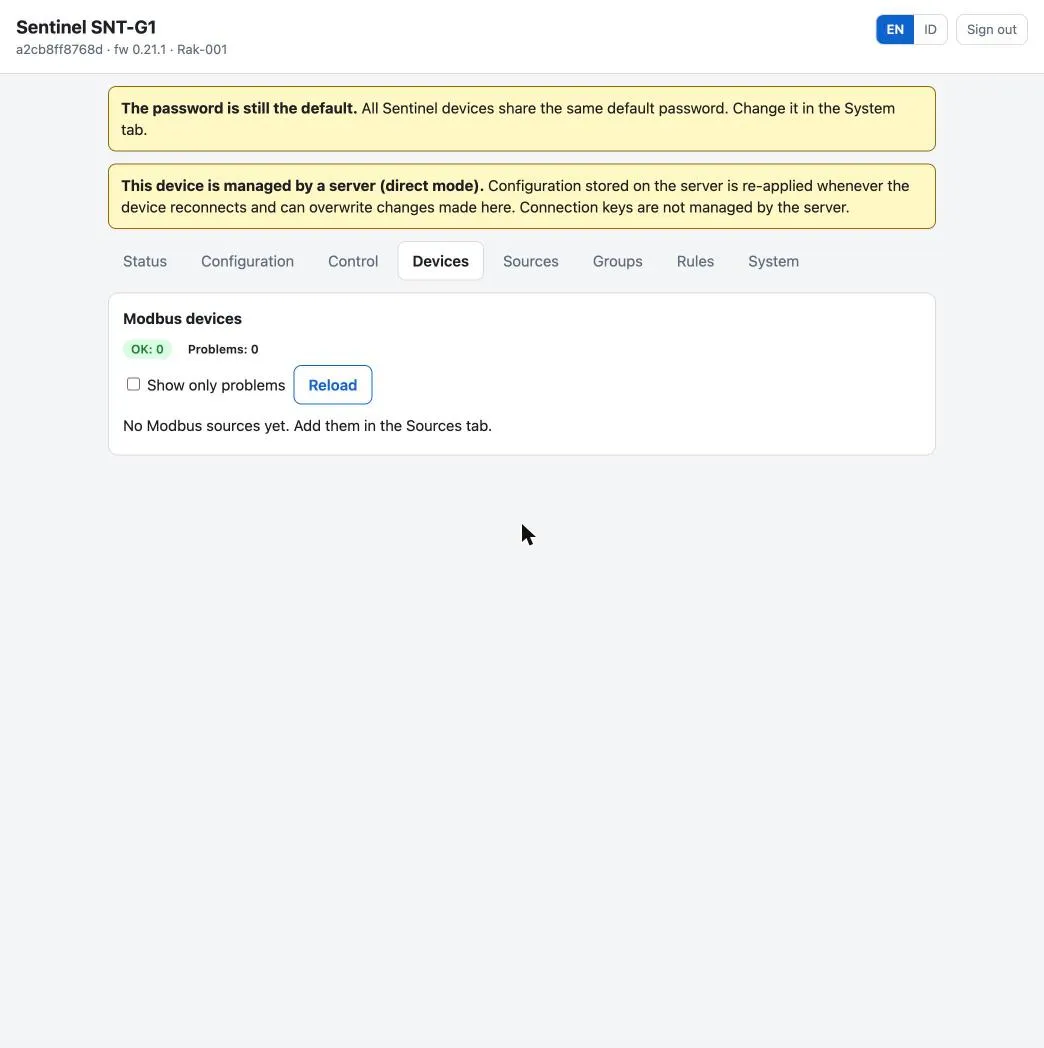
| Devices | read-only monitoring of Modbus devices: a summary (OK, problem, waiting, disabled) and one row per source. Click a row for its metric values; the Show problems only filter |
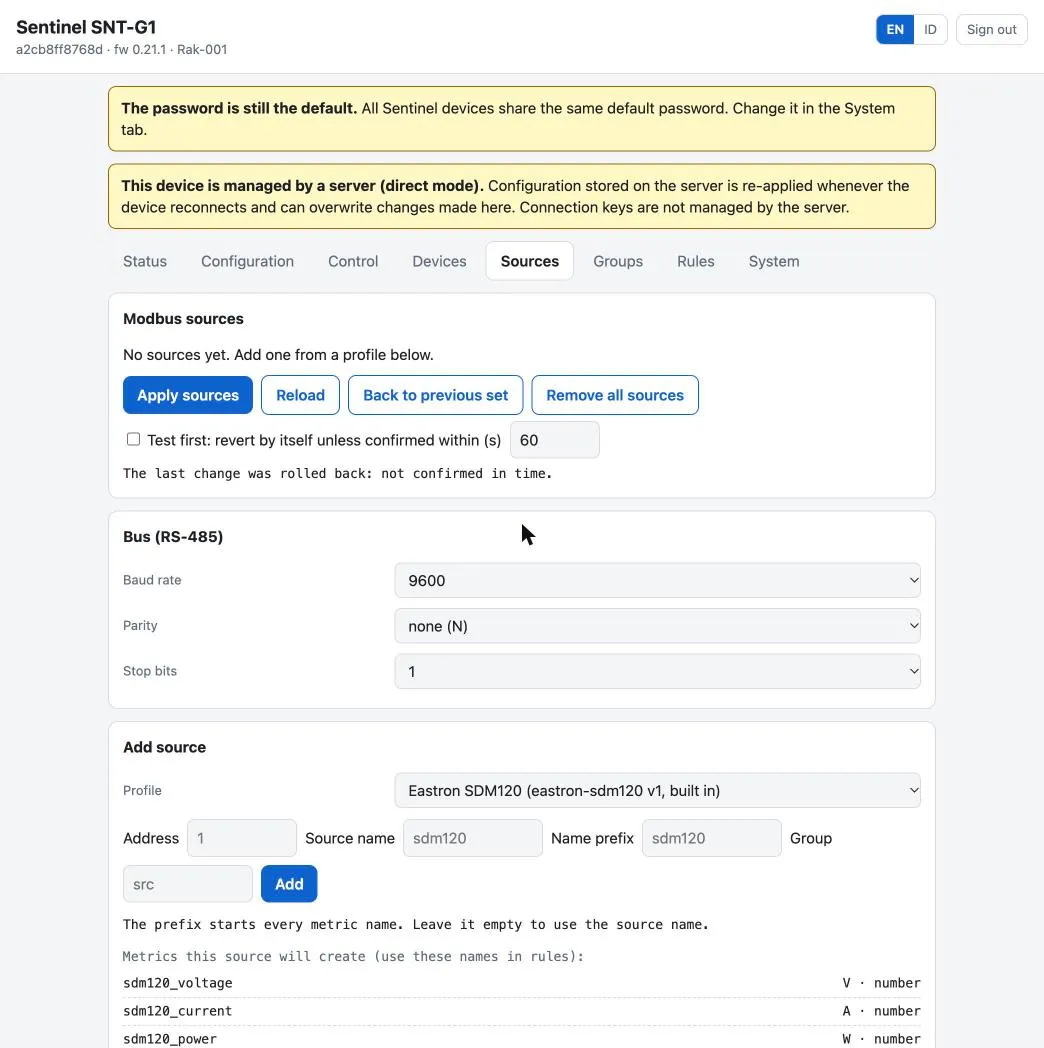
| Sources | Modbus source and RS-485 bus settings, add a source from a profile (shows the metric names that will be created and rejects up front names the node would certainly reject), the profile list, and profile import. See Modbus sources |
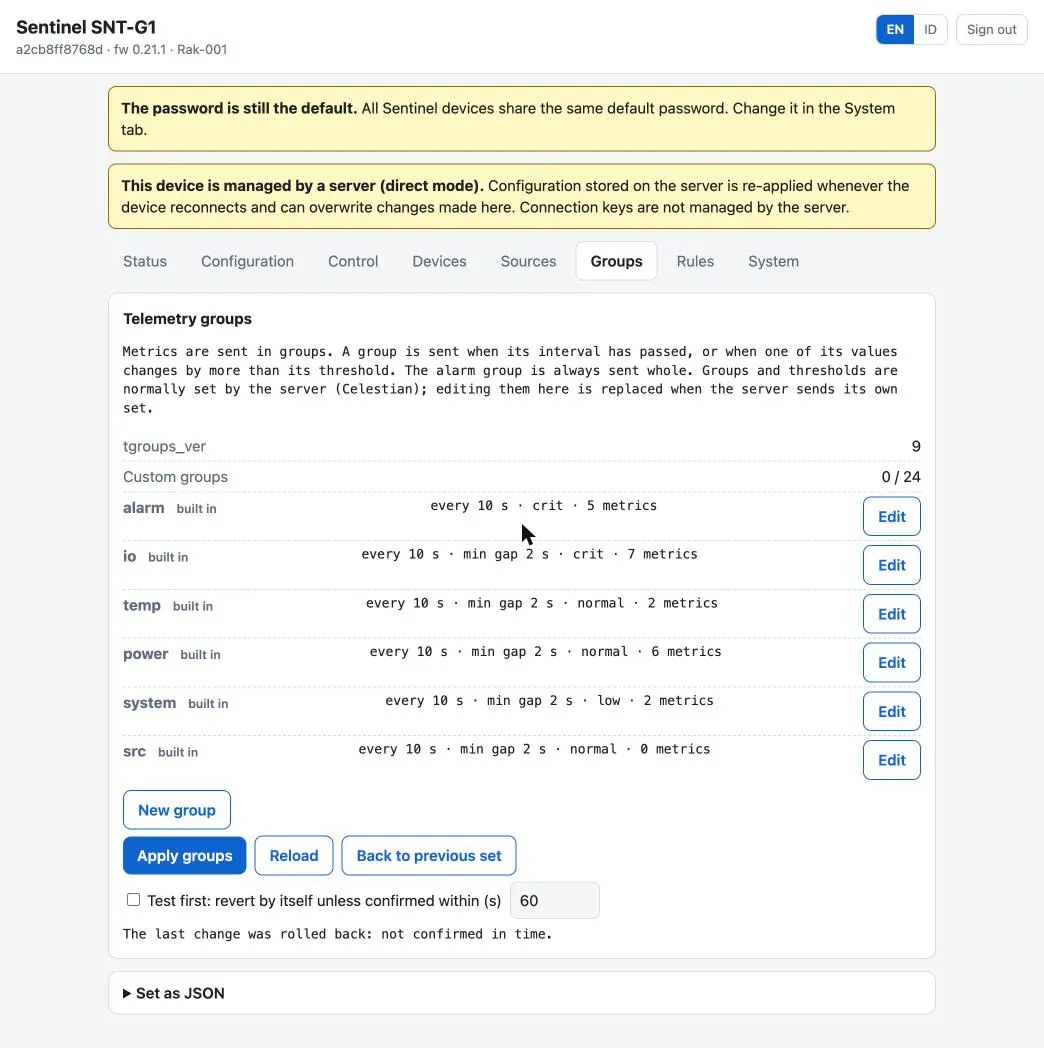
| Groups | telemetry group editor with confirm_s testing and a rollback button. See Telemetry groups |
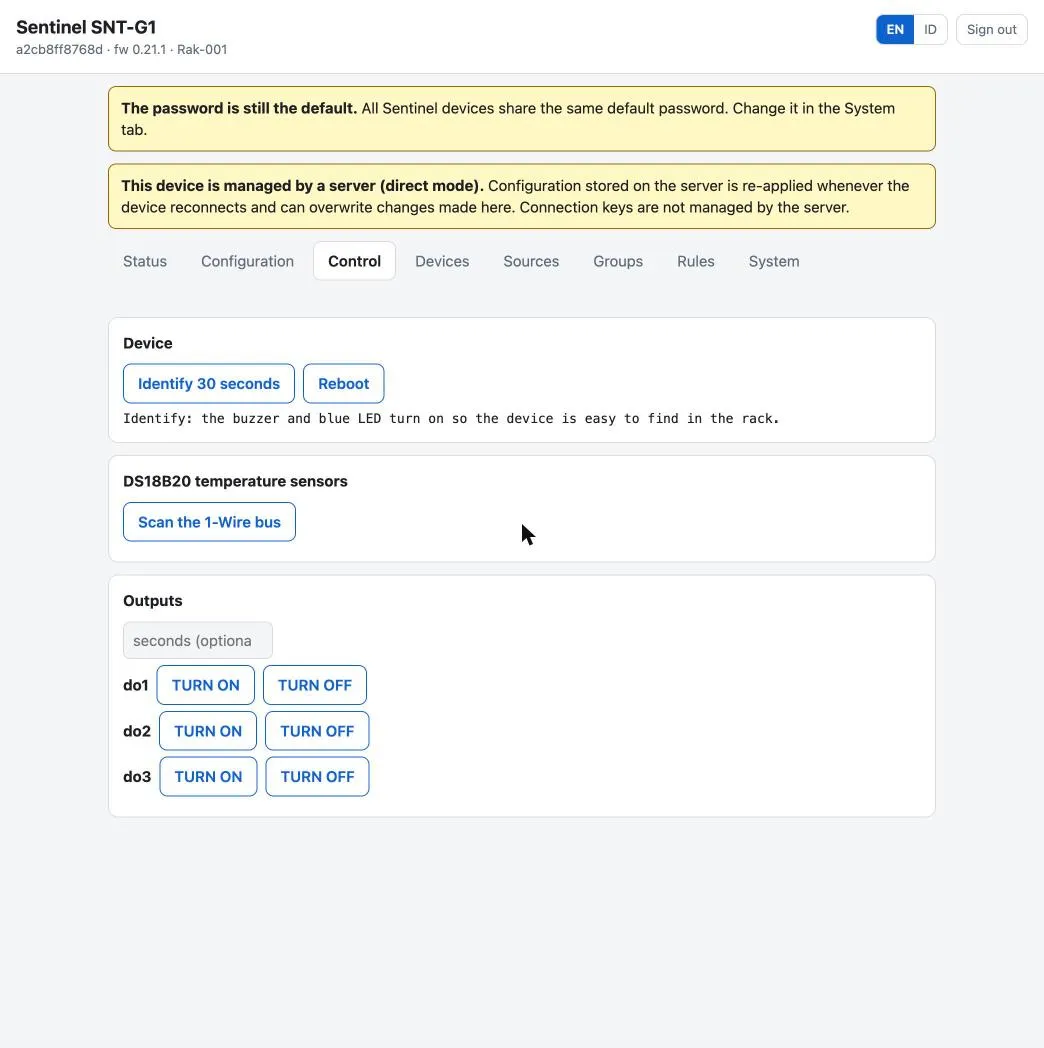
| Control | identify, reboot, scan the 1-Wire bus and bind a ROM to a slot, switch outputs on/off |
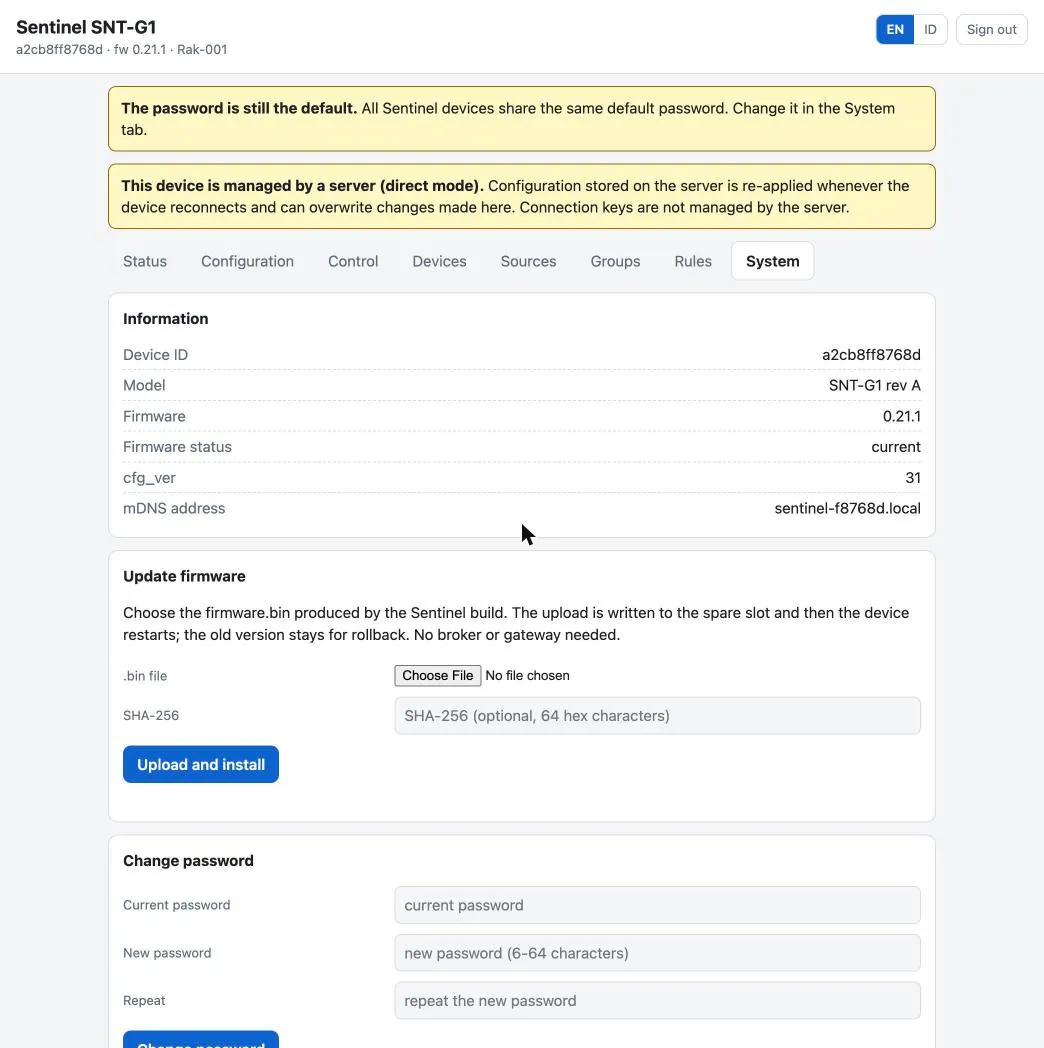
| System | information, update firmware, change password, factory reset |
mqtt_pass is write-only: its value is never sent back (the page only knows whether it is filled).
What each tab looks like
Section titled “What each tab looks like”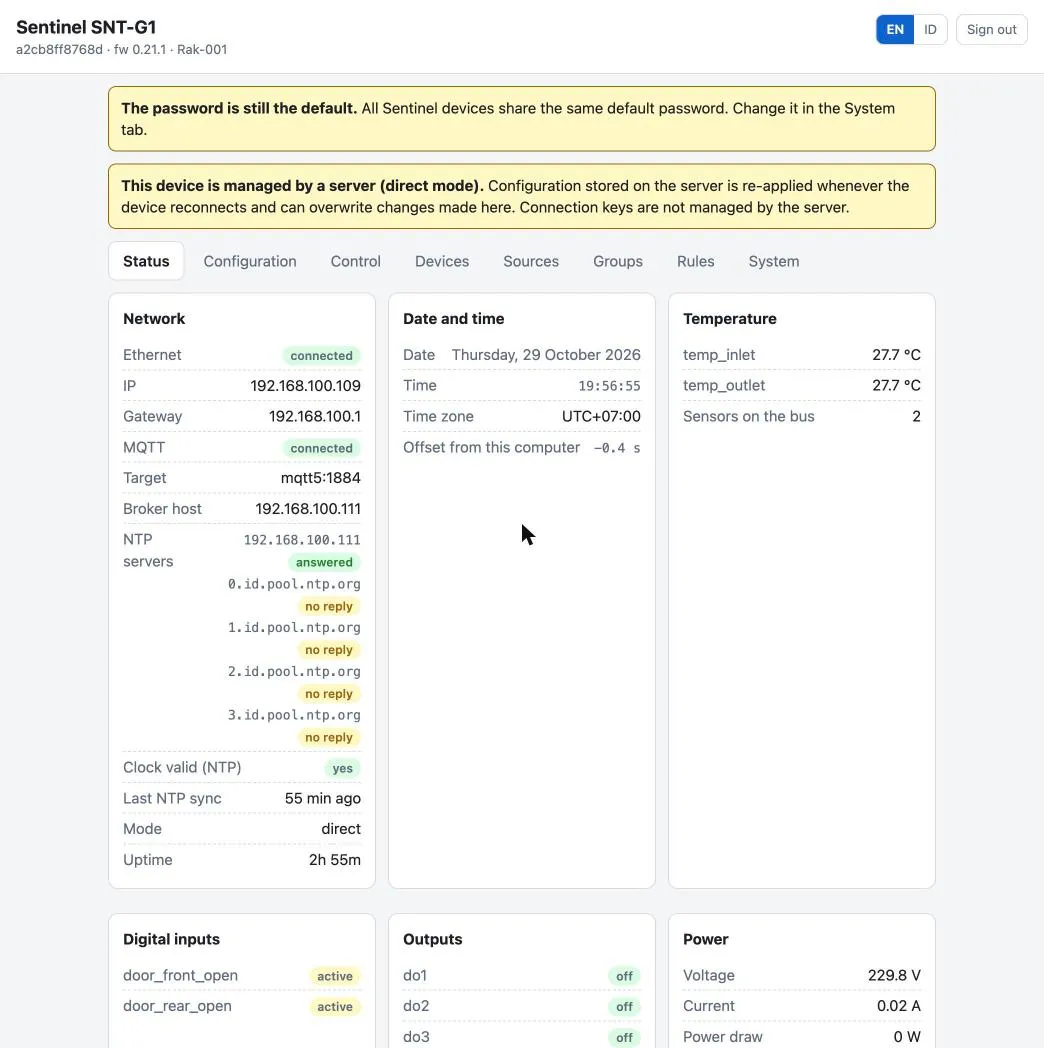
Updating firmware from the web
Section titled “Updating firmware from the web”System tab, “Update firmware” card: choose the firmware.bin file, optionally fill the SHA-256, then “Upload and install”. Suitable when the unit has no route to the broker or the gateway’s OTA server.
- The page rejects files that are not an ESP32 image or are larger than the slot (6.25 MiB). If a SHA-256 is given, the hash of the whole content must match.
- The image is written to the spare OTA slot (progress is shown), then the unit restarts; the old version remains for rollback.
- The new image is “pending verification”. An image installed through the web counts as healthy if Ethernet is stable for 60 seconds and you successfully log in to the new firmware’s web. Otherwise, after 10 minutes the unit returns to the previous version.
- One update at a time: if an OTA over MQTT is running, the upload is rejected, and vice versa.
See also Firmware and OTA.
Security
Section titled “Security”- Plain HTTP, no TLS: the password and session cookie travel as-is on the LAN. Use it on a trusted network (the rack LAN).
- Failed logins are limited per client address: 5 consecutive failures = locked for 30 seconds, then 60, 120, 240, 300 seconds.
- The password is stored as a salted hash in a separate area.
cmd reset_configandconfigfrom the server do not touch it, and it never enters configuration reports. Password rules: 6–64 ASCII characters. - Every POST request must carry the
X-Sentinel: 1header, and the session cookie isSameSite=Strict, so other pages in the browser cannot use a stored session. - One session only: anyone who knows the password can kick out the signed-in user. The password is the only secret.
- Anyone with the web password can install any firmware.
Forgotten password
Section titled “Forgotten password”The password can only return to default through factory reset (which also erases settings), using the touch sequence on the device or reset_factory in USB serial. See Reset and moving racks.
Language
Section titled “Language”The interface has two languages, English (default) and Indonesian. The choice is stored on the device, not in the browser, so it applies to all browsers and survives reboot or OTA. Factory reset returns the language to English. The LCD is unaffected and remains in Indonesian.
HTTP API
Section titled “HTTP API”All /api/* calls need a session, except /api/login. Without a valid session the reply is 401 with {"ok":false,"msg":"login diperlukan","reason":"none|idle|replaced|logout"}.
| Path | Contents |
|---|---|
POST /api/login |
{"user":"admin","password":"..."} → Set-Cookie: sentinel_sid=.... Rate limited per client address (429) |
POST /api/logout, GET /api/session |
end the session; extend the session |
GET /api/info, GET /api/status |
identity and network; same as the serial status command |
GET /api/config, POST /api/config |
the effective configuration; send {"key":value,…} → {ok, changed, reboot, rejected} |
GET /api/schema |
key list: type, range, default, reboot required |
POST /api/cmd |
{"action":"reboot|identify|rescan|output",…} |
GET /api/rules, POST /api/rules |
the effective rules set; replace the whole set |
GET /api/devices |
Modbus device summary; /api/devices/<id> for one source |
GET /api/sources, POST /api/sources, …/confirm, …/rollback |
Modbus sources |
GET /api/profiles, POST /api/profiles, …/confirm, …/rollback |
Modbus profiles |
GET /api/tgroups, POST /api/tgroups, …/confirm, …/rollback |
telemetry groups |
POST /api/firmware |
body = the contents of firmware.bin (header X-Sentinel: 1, X-Sha256 optional) |
POST /api/lang, POST /api/password |
language; change password {"old":"…","new":"…"} |
POST /api/factory-reset |
{"password":"…","confirm":"RESET"} |
Example with curl (log in once, keep the cookie; this takes over any open browser session):
curl -c jar -H 'X-Sentinel: 1' -d '{"password":"<password>"}' http://sentinel-f8768d.local/api/logincurl -b jar http://sentinel-f8768d.local/api/infocurl -b jar -X POST -H 'X-Sentinel: 1' http://sentinel-f8768d.local/api/logoutHTTP Basic (curl -u) is not accepted.